
- 18 Sep 2026
ByteEditor 17 Release: Rebuilt for Umbraco 17, with a New Design Token System
A Ground-Up Rebuild for the New Umbraco Backoffice.
A Ground-Up Rebuild for the New Umbraco Backoffice
ByteEditor 17 is here — a full migration to Umbraco 17 LTS and .NET 10, rebuilt from the ground up for the new Lit-based backoffice. This isn't a coat of paint on the old version: Umbraco dropped AngularJS entirely starting with version 14, which meant every editor extension, every block preview, and every property editor we ship had to be rewritten for the new backoffice framework.
We used that as an opportunity to rethink a few things along the way — not just port what was there, but fix long-standing rough edges and add a couple of features we've wanted to ship for a while. Here's everything that's new.
What is New in ByteEditor 17?
A New Foundation: Umbraco 17 & .NET 10
ByteEditor now runs on Umbraco 17 LTS and .NET 10, so you get everything that comes with it: a faster, more modern backoffice, longer-term support, and a codebase that's set up for what Umbraco builds next rather than chasing a framework Umbraco itself has moved on from. If you're running an older Umbraco 13 site today, this release is your path onto current, supported infrastructure.
Design Builder Moves to a Token-Based System
This is the biggest architectural change in this release, so we want to be upfront about it.
In previous versions, Design Builder was a visual, drag-and-drop canvas for styling your site. In ByteEditor 17, theming is built around a structured system of design tokens — every color, heading style, button state, and font is a single named value, edited in one place, and every block on your site reads from that same source automatically.
The practical effect: when you change a token, every block using it updates immediately and consistently, site-wide. It's what makes the new per-block "Theme Variant" control (below) possible — a card can switch between your base, accent, or muted color variant instantly, because it's pulling from the same tokens as everything else, not a locally copied style.
What this release does not have yet is the old live, visual drag-and-drop theme canvas — editing tokens right now means working with a structured JSON editor rather than using color swatches with a live preview. We made this trade-off to get a design system that's consistent and reliable across an entire site as we rebuilt for the new backoffice, and a more visual layer on top of this same token system is something we're actively looking at for a future release.
Live SEO Insights, Split into Tabs
Every page now has two live analysis tabs sitting right next to your content editor:
- SEO Page Structure reads every heading on the page — before you've even saved — and lays out the full H1 through H6 outline, with a jump-to link next to each one that takes you straight back to that block in the canvas.
- Content Stats shows your most-used words with frequency counts, total character and word counts, and flags it for you if the page is thin on content for SEO purposes.
Both update live as you edit, with no save or refresh required. Change a block's heading level and watch the outline update in real time. It's the kind of feedback that used to mean pulling a page into a separate SEO tool — now it's built into the editor you're already using.
Per-Block Theme Variants (Replacing Styles)
Every themeable block now has its own Styling section with a Theme Variant dropdown — base, accent, muted, or inverse — so a single card, banner, or layout block can stand out from the rest of the page without you touching a single line of CSS. Switch the variant and the block re-renders instantly against your site's actual design tokens.
One Feature We've Paused: Animations
Block-level scroll and entrance animations aren't in this release. Rebuilding the entire block-preview layer for the new backoffice was a big enough lift on its own, and we made the call to ship a stable, fully-migrated v17 first rather than delay the release further. Animations are on our list to bring back in a future update.
One Feature Removed: Knowledge Base
The built-in Knowledge Base panel is gone in this release. Usage data showed it wasn't something clients were actually reaching for, so rather than rebuild it for the new backoffice, we retired it and put that effort into features you're using instead.
See It In Action
We recorded a full walkthrough of the new Page Builder — adding blocks, switching theme variants live, drag-and-drop reordering, the new SEO tabs, and the token-based Design Builder:
(Or watch directly on YouTube: https://www.youtube.com/watch?v=8OySalbmEXk)
Upgrading from a Previous Version
If you're already running ByteEditor on Umbraco 13, upgrading to 17 doesn't mean rebuilding your site. The package ships with an automatic upgrade/migration script that runs as part of the update and migrates your existing content, doc types, and design data over to the new version for you — no manual re-entry, no rebuilding pages from scratch.
As with any major version jump, we recommend upgrading on a staging environment first and reviewing your design tokens afterward, since the token-based system replaces the old visual theme format.
What's Next
Umbraco 17 is the foundation — not the finish line. We're already prototyping AI-assisted features directly inside the Website Builder: site theme, page layout and block builders, so you spend less time on the blank-canvas problem and more time on the content that matters. More details soon.
In the meantime, ByteEditor 17 is available now for all self-hosted users. Use our quick installation guide to try it now for free (14 days free trial, no license or payment details needed).
Try ByteEditor 17 Now — Install a Self-Hosted Version
You might also like

- 18 Sep 2026
ByteEditor 17 Release: Rebuilt for Umbraco 17, with a New Design Token System
A Ground-Up Rebuild for the New Umbraco Backoffice.
- 07 May 2025
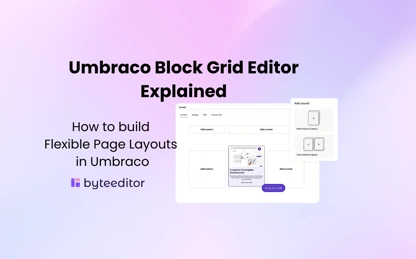
Umbraco Block Grid Editor Explained
The Umbraco Block Grid Editor is a powerful property editor that lets developers build rich, component-based layouts. Introduced to replace older grid editors, it supports modern page design with nested blocks, layout control and flexibility, while making content editors experience better. If you’re building content heavy sites, understanding the block grid is key to mastering Umbraco page layout.
Best Articles


Best templates for Umbraco CMS

Umbraco Block Grid Editor Explained

Best tools for SEO optimization in Umbraco
